반응형
HTML 으로 코딩된 테이블, 그림, 글자 등 다양한 요소가 섞여 있는 문서를 PDF 또는 A4용지로 출력했을 때 각 요소가 중간에 끊어지지 않고 보기좋게 출력할 수 있는 방법이 있는지 알아보았습니다.
방법은 생각보다 간단한데요, CSS의 @media print 속성을 이용하면 가능했습니다.
@media print 는 인쇄할 때만 적용되는 것으로 다양한 기능이 있지만
바쁜 분들을 위해 핵심 CSS만 보면, 이 두 개만 알아도 충분한 것 같습니다.
@media print {
.page-divide {
page-break-after: always;
}
}
.page-divide 라는 클래스를 준 요소 뒤에는 언제나 페이지를 분할하도록 하는 CSS 입니다.
table, figure, .sector {
page-break-inside: avoid;
}
table, figure 또는 sector 라고 클래스를 지정해 준 요소는 페이지 때문에 끊기지 않도록 처리해주는 구문입니다. 이렇게 지정한 요소가 만약 A4 용지 단위로 프린트물이 나올 때 중간에 걸리게 되면 통째로 그 다음 장으로 넘어가게 처리해줍니다.
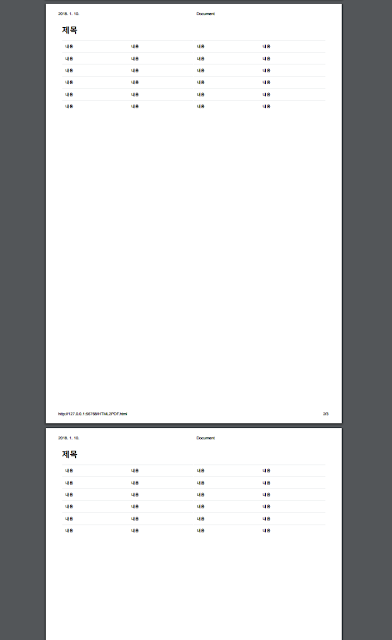
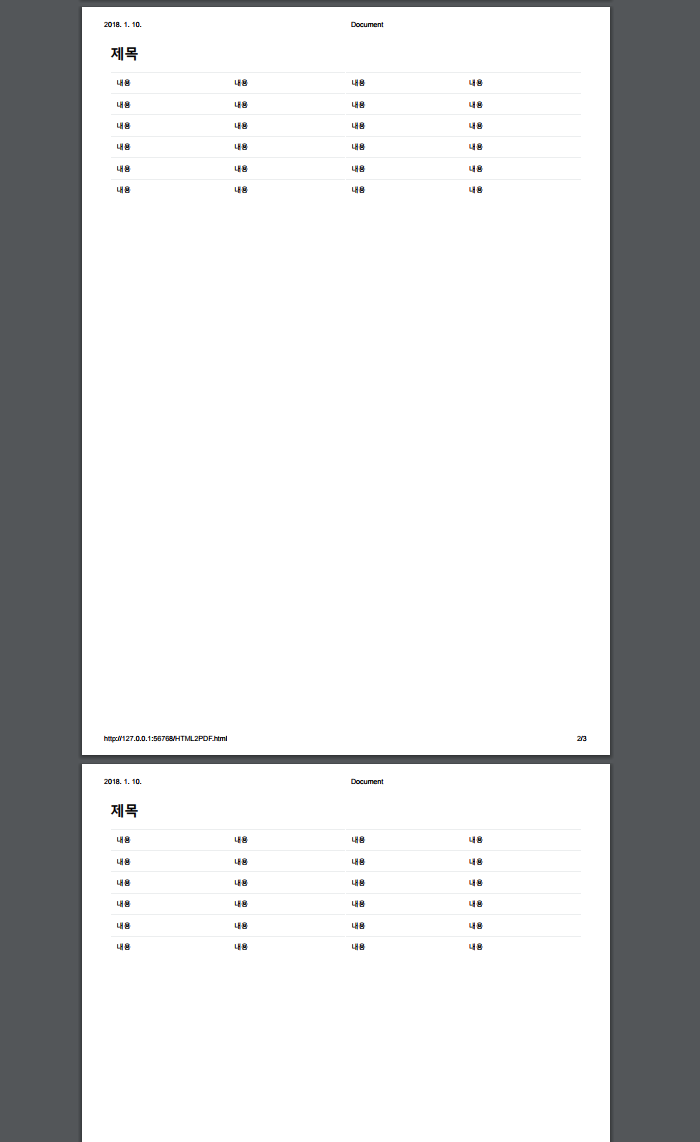
CSS가 적용된 인쇄 (PDF) 미리보기 했을 때 모습
더 많은 내용은 이곳을 참조해보세요 ^^
이곳은 SCSS를 활용하여 거의 완벽한 E-Book 을 만드는 방법을 보여줍니다.
방법은 생각보다 간단한데요, CSS의 @media print 속성을 이용하면 가능했습니다.
@media print 는 인쇄할 때만 적용되는 것으로 다양한 기능이 있지만
바쁜 분들을 위해 핵심 CSS만 보면, 이 두 개만 알아도 충분한 것 같습니다.
@media print {
.page-divide {
page-break-after: always;
}
}
.page-divide 라는 클래스를 준 요소 뒤에는 언제나 페이지를 분할하도록 하는 CSS 입니다.
table, figure, .sector {
page-break-inside: avoid;
}
table, figure 또는 sector 라고 클래스를 지정해 준 요소는 페이지 때문에 끊기지 않도록 처리해주는 구문입니다. 이렇게 지정한 요소가 만약 A4 용지 단위로 프린트물이 나올 때 중간에 걸리게 되면 통째로 그 다음 장으로 넘어가게 처리해줍니다.
간단 예제 소스보기
| <style> | |
| @media print { | |
| .page-divide { | |
| page-break-after: always; | |
| } | |
| .no-print-page { | |
| display: none; //작업의 편리함을 위해 넣은 페이지 구분선. 프린트 시에는 보이지 않음 | |
| } | |
| } | |
| h1, h2, h3, h4, h5 { | |
| page-break-after: avoid; | |
| } | |
| table, figure, .sector { | |
| page-break-inside: avoid; | |
| } | |
| .table { | |
| width: 100%; | |
| max-width: 100%; | |
| margin-bottom: 1rem; | |
| } | |
| thead { | |
| display: table-header-group; | |
| vertical-align: middle; | |
| border-color: inherit; | |
| } | |
| tbody { | |
| display: table-row-group; | |
| vertical-align: middle; | |
| border-color: inherit; | |
| } | |
| .table td, .table th { | |
| padding: .75rem; | |
| vertical-align: top; | |
| border-top: 1px solid #eceeef; | |
| } | |
| </style> | |
| </head> | |
| <body> | |
| <div class="no-print-page"> | |
| ============================================================ | |
| </div> | |
| <div class="sector"> | |
| <h1>제목</h1> | |
| <table class="table"> | |
| <thead> | |
| <tr> | |
| <td>내용</td> | |
| <td>내용</td> | |
| <td>내용</td> | |
| <td>내용</td> | |
| </tr> | |
| </thead> | |
| <tbody> | |
| <tr> | |
| <td>내용</td> | |
| <td>내용</td> | |
| <td>내용</td> | |
| <td>내용</td> | |
| </tr> | |
| <tr> | |
| <td>내용</td> | |
| <td>내용</td> | |
| <td>내용</td> | |
| <td>내용</td> | |
| </tr> | |
| <tr> | |
| <td>내용</td> | |
| <td>내용</td> | |
| <td>내용</td> | |
| <td>내용</td> | |
| </tr> | |
| <tr> | |
| <td>내용</td> | |
| <td>내용</td> | |
| <td>내용</td> | |
| <td>내용</td> | |
| </tr> | |
| <tr> | |
| <td>내용</td> | |
| <td>내용</td> | |
| <td>내용</td> | |
| <td>내용</td> | |
| </tr> | |
| </tbody> | |
| </table> | |
| </div> | |
| <div class="page-divide"></div> | |
| <div class="sector"> | |
| <h1>제목</h1> | |
| <table class="table"> | |
| <thead> | |
| <tr> | |
| <td>내용</td> | |
| <td>내용</td> | |
| <td>내용</td> | |
| <td>내용</td> | |
| </tr> | |
| </thead> | |
| <tbody> | |
| <tr> | |
| <td>내용</td> | |
| <td>내용</td> | |
| <td>내용</td> | |
| <td>내용</td> | |
| </tr> | |
| <tr> | |
| <td>내용</td> | |
| <td>내용</td> | |
| <td>내용</td> | |
| <td>내용</td> | |
| </tr> | |
| <tr> | |
| <td>내용</td> | |
| <td>내용</td> | |
| <td>내용</td> | |
| <td>내용</td> | |
| </tr> | |
| <tr> | |
| <td>내용</td> | |
| <td>내용</td> | |
| <td>내용</td> | |
| <td>내용</td> | |
| </tr> | |
| <tr> | |
| <td>내용</td> | |
| <td>내용</td> | |
| <td>내용</td> | |
| <td>내용</td> | |
| </tr> | |
| </tbody> | |
| </table> | |
| </div> | |
| <div class="page-divide"></div> | |
| <div class="sector"> | |
| <h1>제목</h1> | |
| <table class="table"> | |
| <thead> | |
| <tr> | |
| <td>내용</td> | |
| <td>내용</td> | |
| <td>내용</td> | |
| <td>내용</td> | |
| </tr> | |
| </thead> | |
| <tbody> | |
| <tr> | |
| <td>내용</td> | |
| <td>내용</td> | |
| <td>내용</td> | |
| <td>내용</td> | |
| </tr> | |
| <tr> | |
| <td>내용</td> | |
| <td>내용</td> | |
| <td>내용</td> | |
| <td>내용</td> | |
| </tr> | |
| <tr> | |
| <td>내용</td> | |
| <td>내용</td> | |
| <td>내용</td> | |
| <td>내용</td> | |
| </tr> | |
| <tr> | |
| <td>내용</td> | |
| <td>내용</td> | |
| <td>내용</td> | |
| <td>내용</td> | |
| </tr> | |
| <tr> | |
| <td>내용</td> | |
| <td>내용</td> | |
| <td>내용</td> | |
| <td>내용</td> | |
| </tr> | |
| </tbody> | |
| </table> | |
| </div> | |
| <div class="no-print-page"> | |
| ============================================================ | |
| </div> | |
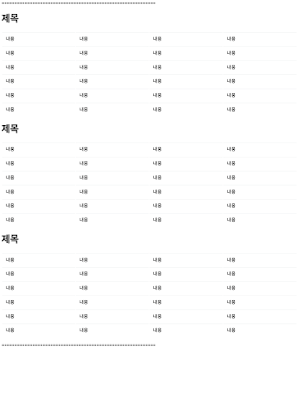
HTML 로 코딩한 화면 모습

CSS가 적용된 인쇄 (PDF) 미리보기 했을 때 모습
Reference
더 많은 내용은 이곳을 참조해보세요 ^^
이곳은 SCSS를 활용하여 거의 완벽한 E-Book 을 만드는 방법을 보여줍니다.
'Design' 카테고리의 다른 글
| [앱 디자인] 앱 출시 준비하기 (0) | 2020.04.24 |
|---|---|
| 포토샵 - 클리핑 마스크 만들기 (0) | 2020.04.21 |
| 현수막/명함 등 인쇄물 디자인하기 (0) | 2020.04.17 |
| 아이콘을 폰트로 만들어 쓰기 (0) | 2020.04.17 |
| [부트스트랩] 소개와 사용 방법 (0) | 2020.04.16 |